• Home
  • Blog
  • Help
    • Ednirvana
    • Ednirvana Mobile App
    • Risersoft
  • Modules
    • Institution
    • SSS
    • Student
    • TSS
    • Ednirvana Mobile App
    • CRM
    • Content
  • Introduction
  • Students Menu
    • Dashboard
    • Student Person
    • Attendance (Class-Wise)
    • Import File
    • Paper Details
    • Results
    • Student Promote
  • LMS Menu
    • Dashboard
    • Course
      • Course Content
        • Tips for Content
      • Course File
      • Course Users
      • Forum Posts
    • Test
      • Test Questions
    • Survey
      • Survey Questions
    • Assignment
    • Users

Student Promote

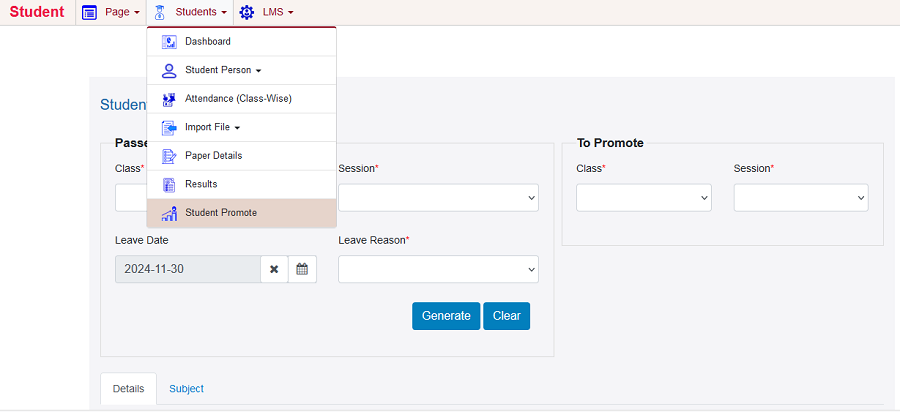
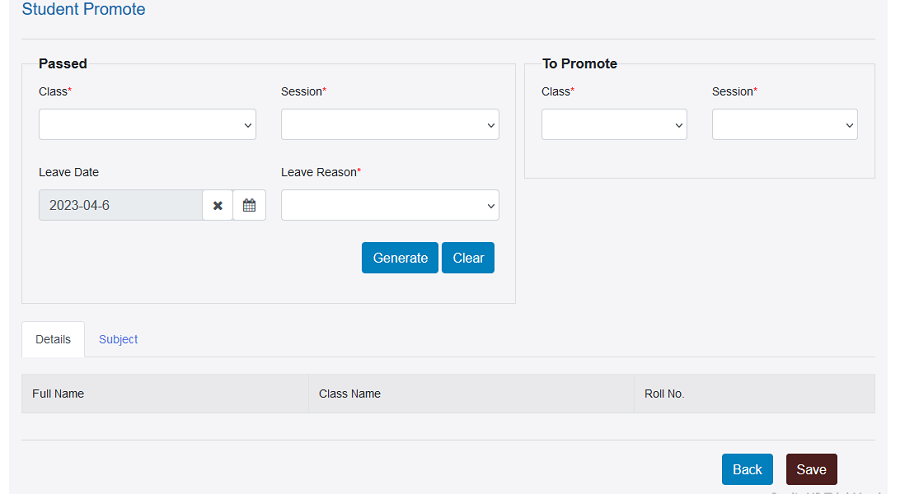
To promote student, click on Students -> Student Promote. Form will appear. Fill the details and click on save button.
Error

Please check your uploaded file extension.

Error

Please Select a file.

0%

© Ednirvana 2025. All Rights Reserved.Hosted on TypeMatter CMS, Part of Risersoft SaaSMatter.